 Verbatim
Drop a recording
Any audio or video file: mp3, m4a, wav, flac, ogg, or a video with an audio track. Drag it onto the window, use Open, or right-click a file in Finder and choose Verbatim.
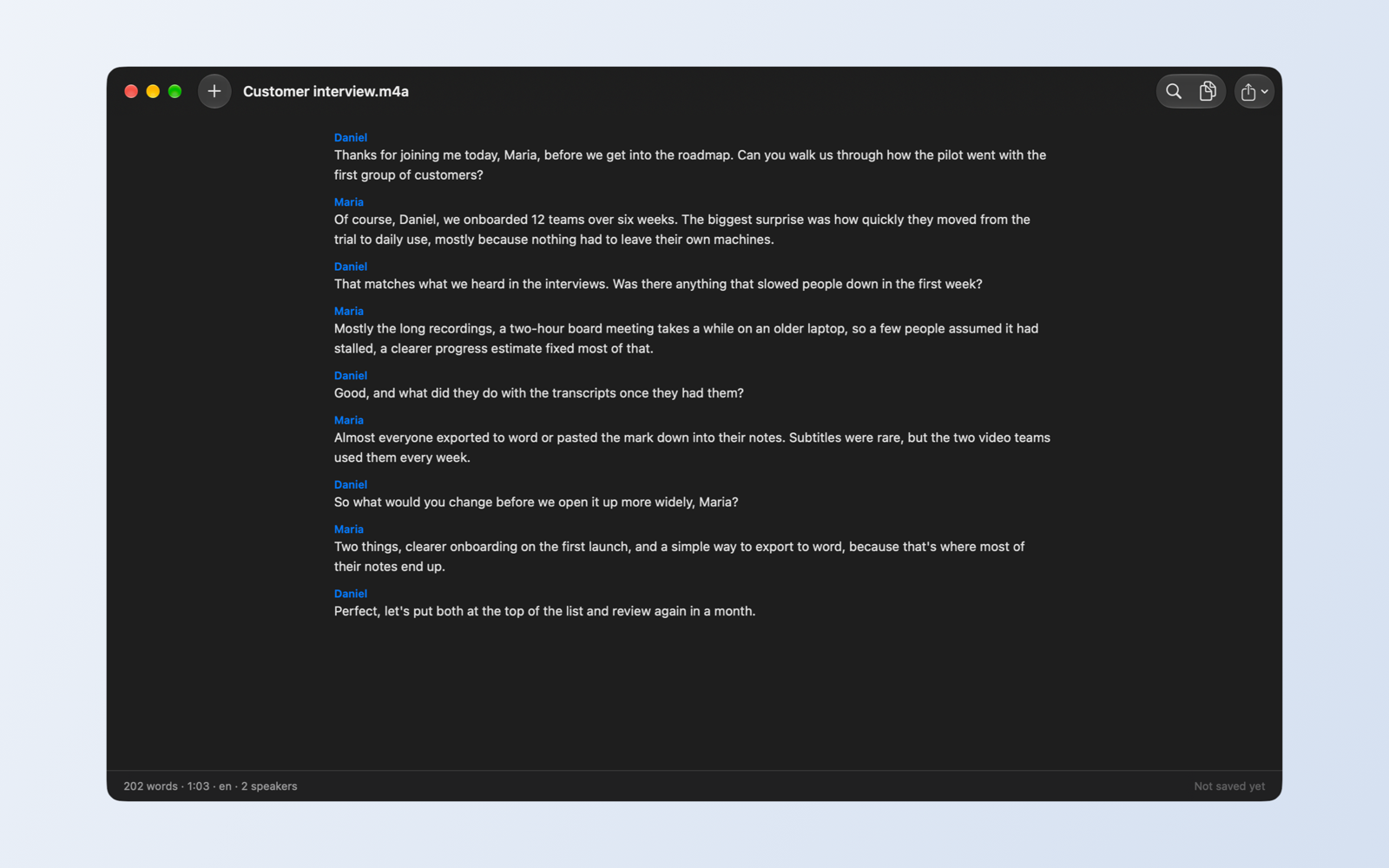
Drop in a recording and get clean, searchable text with speaker names, ready for Word, Markdown or subtitles. Every step runs on your own Mac. No cloud, no account, no subscription.
Verbatim bundles the same open-source speech models that power research labs, compiled to run on Apple silicon. Your audio is decoded, listened to and written up without a single byte going to a server.
Any audio or video file: mp3, m4a, wav, flac, ogg, or a video with an audio track. Drag it onto the window, use Open, or right-click a file in Finder and choose Verbatim.
Whisper transcribes the speech. A second model works out who is talking. A small language model fixes punctuation, capitalisation and paragraphs, and gives speakers their names when they are mentioned.
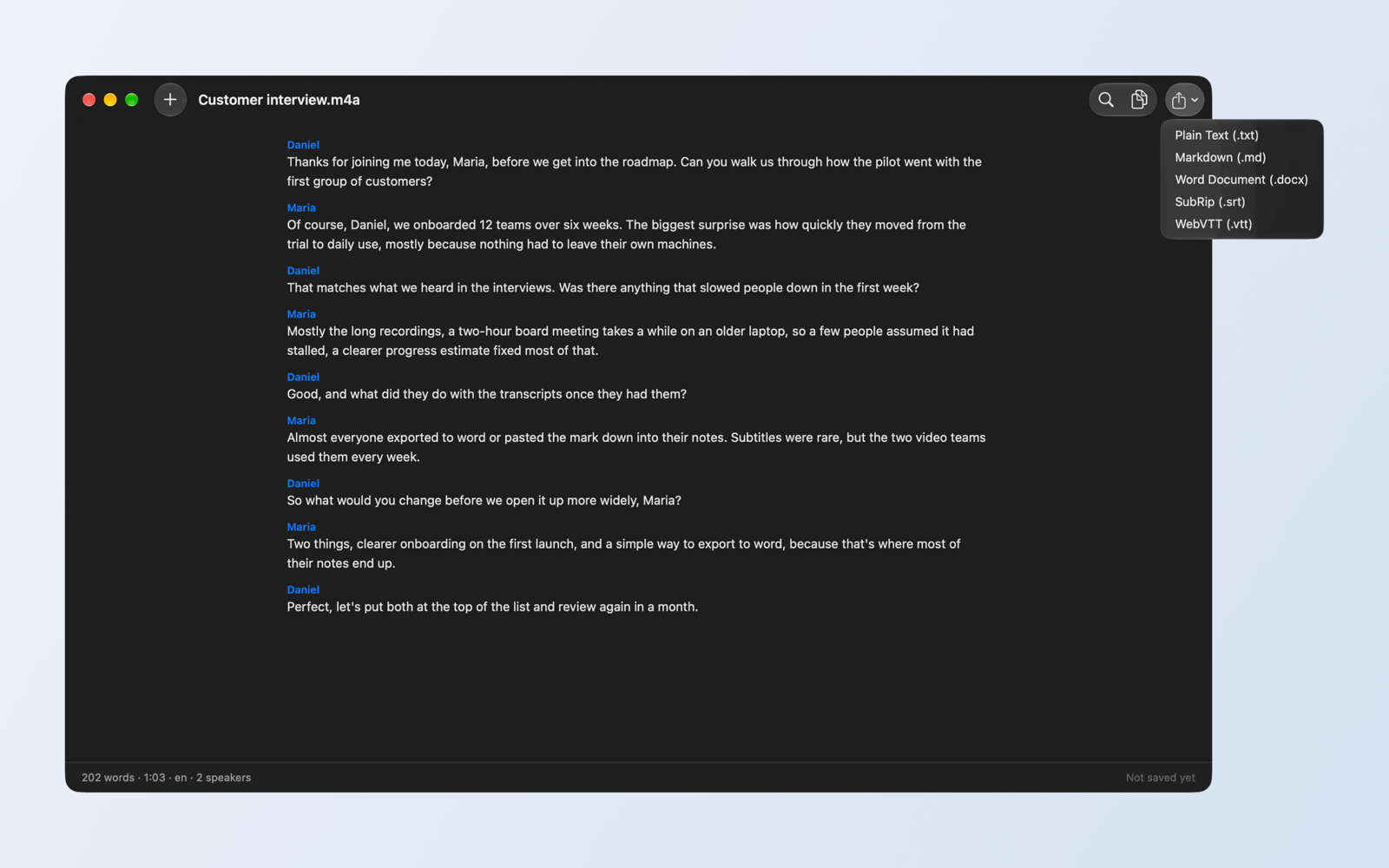
Find any phrase, copy the whole thing, or export to plain text, Markdown, a Word document, or SRT and WebVTT subtitles with timestamps.
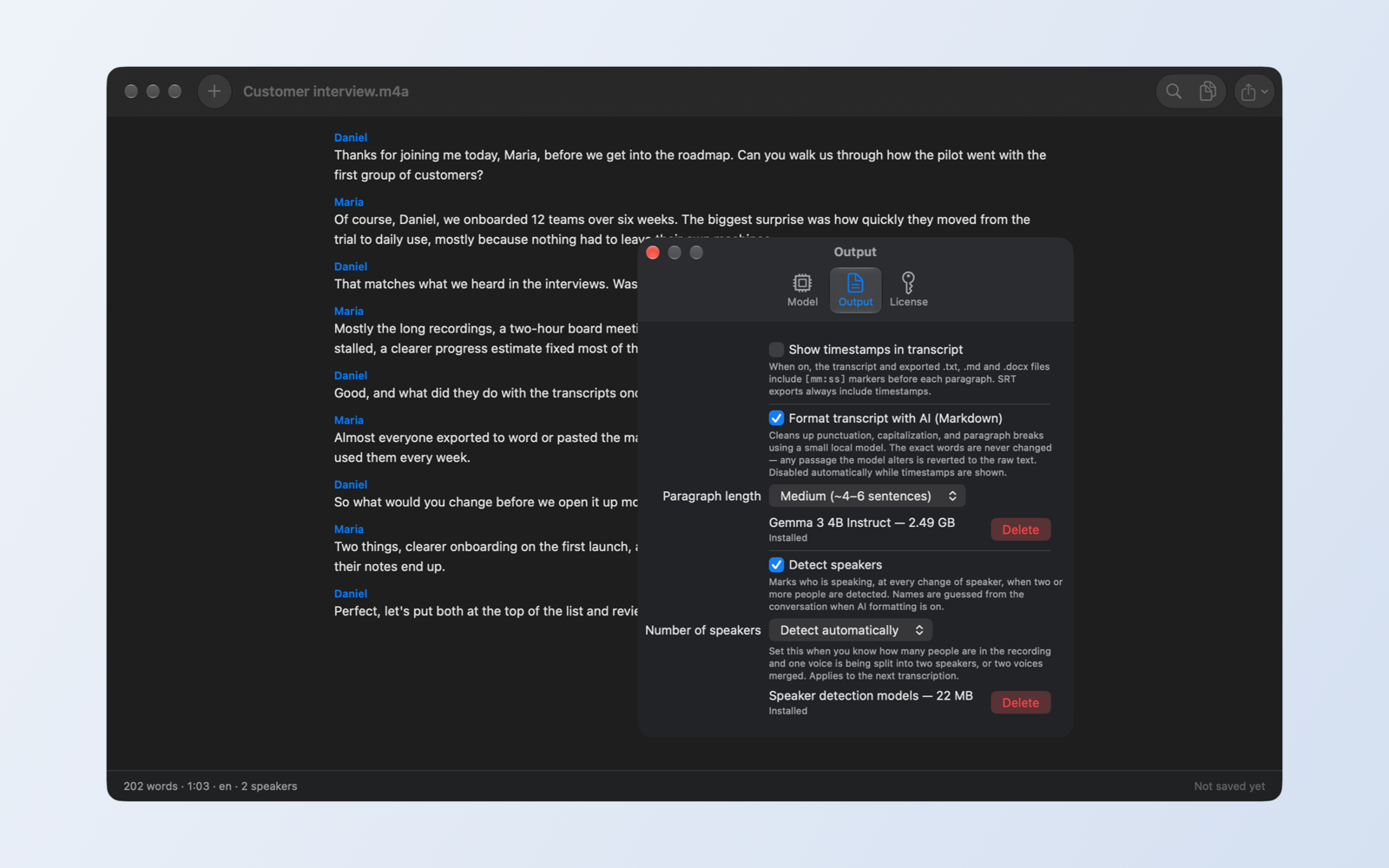
Verbatim marks every change of speaker. When people address each other by name in the recording, it uses those names instead of "Speaker 1" and "Speaker 2". You can also tell it how many people were in the room.
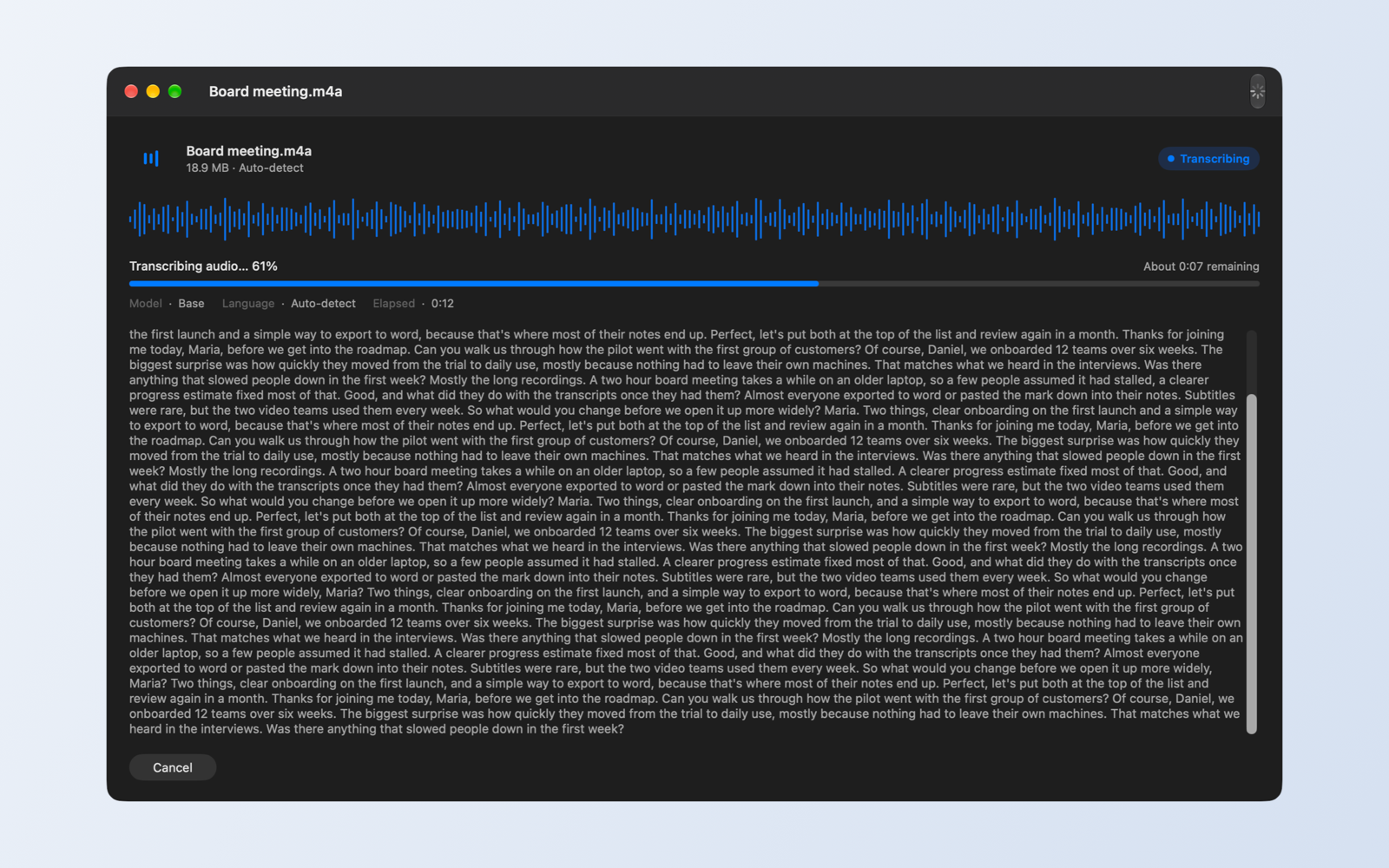
Text appears while the recording is still being processed, with a live progress estimate. A one-hour meeting takes a few minutes on a recent Mac.
Plain text, Markdown with headings and paragraphs, a formatted Word document with bold speaker names, or SRT and WebVTT subtitles. Timestamps are optional everywhere except subtitles.
Everything that runs is listed in Settings, with its size, and can be deleted at any time. The speech model ships inside the app. AI formatting and speaker detection are optional downloads, each asked for explicitly before anything is fetched.
Cloud transcription services keep your audio on their servers, often to train their models. Verbatim has no server. The app is sandboxed by macOS, makes no network requests on its own, and only contacts the internet when you ask it to download an optional model. There is nothing to opt out of because nothing is collected.
The 7-day trial unlocks everything. After that, one purchase through the Mac App Store unlocks Verbatim permanently on every Mac signed in to your Apple Account. Because the models run on your hardware, there is no monthly bill to keep it going, no server that can be switched off, and no per-minute charge for long recordings.
| Transcribing 10 hours a month | Over one year | Verbatim |
|---|---|---|
| Typical cloud transcription plan, $10 to $30 a month | $120 to $360 | $8.99, once |
| Pay-per-minute API, about $0.006 a minute | $43 plus your own setup | $8.99, once |
| Where your audio goes | Their servers | Stays on your Mac |
Yes. The speech model ships inside the app, so you can transcribe on a plane. The optional speaker-detection and formatting models are downloaded once, when you turn those features on, and then work offline too.
It uses OpenAI's Whisper models, the same family behind most transcription services. The built-in Base model is fast and good for clear speech. For accents, background noise or technical vocabulary, switch to the Medium or Large-v3-turbo model in Settings.
Whisper understands about a hundred languages. Verbatim detects the language automatically, or you can set English, Spanish, French, German, Italian, Portuguese, Dutch, Japanese, Chinese, Korean or Russian explicitly for better results.
No. AI formatting only adds punctuation, capitalisation and paragraph breaks. Every passage the formatter touches is compared with the raw transcript, and any wording change is reverted to the original words.
The app stays installed and shows the purchase screen. Buy the full version to keep transcribing. If you already bought it on another Mac, choose Restore Purchases.
Not yet. Verbatim works from files. Record with Voice Memos, QuickTime or your meeting app, then drop the file in.
Any Mac with Apple silicon (M1 or later) running macOS 14 Sonoma or newer. Speaker detection needs macOS 15. Intel Macs are not supported.
Free for 7 days, then yours for good.
Download on the Mac App Store